
Market research
Study markets, competitors and customer channels from clean, separate environments. See apps and websites the way local users see them, and keep every project organised in one place.

Separate workspaces
Research environments that stay apart
Give each study its own cloud phone or browser profile with its own settings, history and logins, so results from one project never colour the next.

Điện thoại đám mây
Android phones that run in the cloud and behave like real devices, ready whenever you open them.

Browser profiles
Separate browser profiles, each with its own fingerprint settings, cookies and storage.

Proxy settings
Bring the proxies you already use and assign one to each phone or profile.

Keep every research project in its own cloud phone or browser profile, with its own location and history.
Local view
Look at markets the way locals do
Set the region, language and proxy on each profile to see the prices, rankings, ads and app stores that people in that market see.
Save time
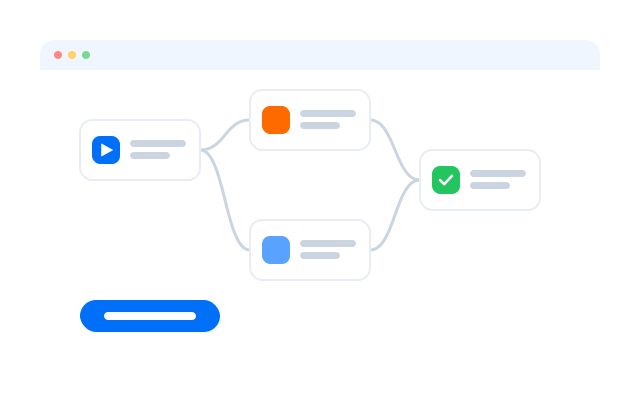
Automate the checks you repeat
Turn routine steps such as opening a list of competitor pages or apps and capturing what changed into a workflow, then run it on a schedule.
Collect only what you are allowed to collect: follow each website’s and app’s terms, and the privacy rules of the markets you study.

Đồng bộ thao tác
Repeat what you do on one cloud phone across the other phones you have open.

RPA
Start from a ready-made template or build your own step-by-step workflow without code.

API
Create, start and manage phones and profiles from your own scripts and tools.
Desktop and mobile
Compare desktop and mobile in one place
Use browser profiles for websites and cloud phones for native apps, side by side in one dashboard, so you see the full customer journey.

Geelark makes multi-account management easy


Frequently asked questions
What is market research?
Market research is the work of gathering and analysing information about a market: its customers, competitors, prices, channels and trends, so that business decisions rest on evidence rather than guesses.
How do I run a market research project?
Set a clear question, choose your methods (surveys, interviews, desk research, competitor reviews), collect the data, analyse it and write down what it means for your decision. Keep sources and dates so the work can be repeated.
How do I research a market for a business plan?
Describe your target customers, estimate how many there are, list the alternatives they use today and what those cost, and note what would make them switch. Use published sources and your own conversations with potential customers.
How should a startup approach market research?
Start small: test whether the problem is real by talking to potential customers, look at how competitors present and price their products, and run cheap experiments before building too much.
What does a market research analyst do?
Analysts design studies, collect and clean data, analyse it and present findings that help teams decide on products, pricing and marketing.
How does Geelark help with market research?
It gives each project its own cloud phone or browser profile, with its own location and settings, so you can see local versions of apps and websites and keep projects apart.
Can I research both desktop and mobile channels?
Yes. Browser profiles cover websites and cloud phones run native Android apps, so you can compare both from one dashboard.
What can I automate?
Repetitive steps such as opening a set of pages or apps, taking screenshots or recording prices can become an RPA workflow or an API script. Follow each site’s terms on automated access when you plan this.
Is there a free trial?
You can create an account and start for free; see Bảng giá for what each plan includes.