Seedance AI video model
Create AI videos with Seedance in Geelark
Turn prompts or reference images into videos with Seedance, an AI video model from ByteDance. Pick a version, create your clips and send the ones you like into Geelark social media workflows.
Model options
Choose a Seedance version for your video
Start with a written idea or an image you already have, then pick the Seedance version that suits your inputs and the control you need.
Versions differ in their inputs and output settings, so review the options the tool shows before you generate.
| Feature | In Geelark |
|---|---|
| Model | Seedance, from ByteDance |
| Available in | Text to video and image to video |
| Inputs | A written prompt, or a reference image with a prompt |
| Versions | Listed in the model picker |
| Generation settings | Shown for the selected version, such as aspect ratio and length |
| Saved to | Your Geelark library |
| Next step | Publishing templates that run on cloud phones |
Two ways to create
Create Seedance videos from text or images
Start with a new idea or an image you already have. Pick Seedance, then set the options the tool shows for your clip.
Văn bản thành video
Ảnh thành video

Turn text into video
Describe the subject, the action, the setting and how the camera should move. Seedance turns the description into a short scene you can review, keep or try again.
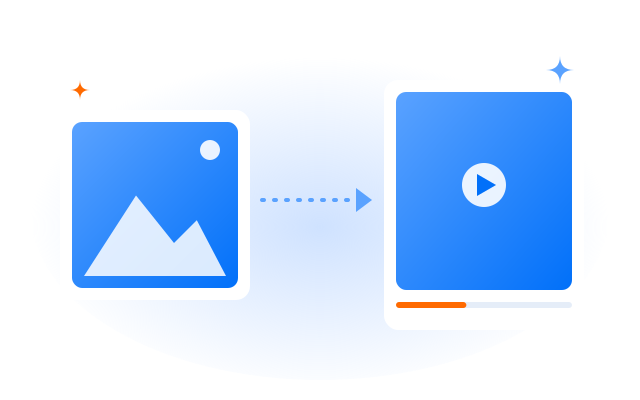
Turn images into video
Upload a still or pick one from your library, then describe the motion you want. Seedance uses the image as the starting point for the scene.
Connected workflow
Bring your Seedance videos into Geelark workflows
Create with Seedance, keep the results in your library and use the clips you choose in publishing tasks that run on Geelark cloud phones.
01
Create with Seedance
Pick Seedance in the AI tools, add your prompt or reference image and adjust the available settings.
02
Review in Library
Generated clips land in your library, where you can compare results and keep the ones that work.
03
Configure a publishing task
Choose a publishing template, add the videos you picked, select cloud phone profiles and fill in the task details.
04
Run through cloud phones
The task runs on the cloud phones you selected. Follow its status and results from the task list.
Related tools and models
Explore more ways to create with Geelark AI
Choose a tool for the input you have, or try another model for your next video idea.
Văn bản thành video
Create a new video scene from a written prompt.
Tạo ảnh AI
Create visuals from text, images or a blend of both.
Ảnh thành video
Use a still image as the starting point for a video.
AI video editor
Upload, edit and prepare videos with AI.
Câu hỏi thường gặp
What is Seedance in Geelark?
Seedance is an AI video model from ByteDance. In Geelark you can choose it in the text-to-video and image-to-video tools, then keep the results in your library for your social media workflows.
Which Seedance versions can I use?
The versions available to your workspace are listed in the model picker. Each one shows its own settings, so check them before you generate.
Can I create Seedance videos from both text and images?
Yes. Start from a written prompt in text to video, or from a still image in image to video.
What resolution, length and aspect ratio can I choose?
That depends on the version and the mode. The available options appear in the tool as soon as you select the model.
Where are my generated videos saved?
In your Geelark library, where you can review them, download them or add them to automation tasks.
Can I publish Seedance videos across multiple accounts?
Yes. Add videos from your library to a publishing template and run it on the cloud phone profiles you choose. Follow each platform’s rules on automated and repeated posting.
How much does it cost to use Seedance?
AI generation depends on your Geelark plan. See the pricing page for what each plan includes.
Bring your ideas to motion
Create your first Seedance clip in Geelark.