Run a cloud phone farm without physical devices
Geelark lets your team run large fleets of Android cloud phones from one dashboard, each with its own device environment, proxy, apps and permissions, plus batch actions and automation built in.
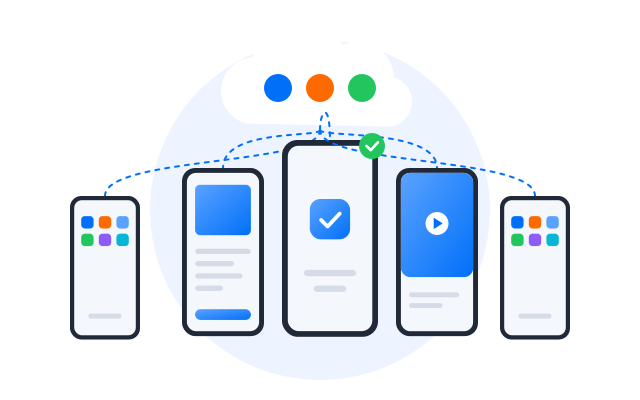
No physical devices
No racks, chargers, cables or swollen batteries to look after
Isolated Android phones
Each account gets a cloud phone of its own
Proxy control
Set network and location per cloud phone
Automation ready
Synchronizer, RPA and API for repeat work
What is a phone farm?
A phone farm is a group of mobile devices used to run mobile-first work in parallel, such as managing many app accounts. Traditionally that meant shelves of Android handsets, USB hubs and constant maintenance. A cloud phone farm keeps the same idea but moves every device into the cloud, where it can be created, configured, separated and automated remotely.
Why physical phone farms are hard to scale
Hardware maintenance
Real handsets wear out. Batteries degrade, screens crack, ports fail and Android versions drift apart, so a growing share of the day goes into keeping devices alive instead of doing the work they are for.
Manual setup and recovery
Every new device needs apps, logins, network settings and a label. When one breaks, someone has to rebuild that environment by hand, which slows recovery and adds hidden labour.
Limited remote access
Physical devices live in one room. Sharing them with a distributed team, controlling who touches which phone and fixing problems after hours all get harder as the farm grows.
Scaling costs
The phones are only part of the bill. Racks, hubs, power, space, spare devices and the time spent monitoring them all grow with every phone you add.
Physical phone farm vs cloud phone farm
| Dimension | Physical phone farm | Geelark cloud phone farm |
|---|---|---|
| Setup | Buy devices, racks, hubs and cables | Create cloud phones from the dashboard |
| Maintenance | Batteries, heat, repairs and updates | Infrastructure is managed for you |
| Scaling | More hardware and more space | Add cloud phones when you need them |
| Account separation | Depends on how each device is set up | A separate Android environment per profile |
| Proxy control | Manual or spread across tools | Proxy set per cloud phone |
| Tự động hóa | External scripts and tools | Synchronizer, RPA templates and API |
| Team access | Hard to share safely | Shared dashboard with permissions |
| Cost structure | Upfront hardware plus running costs | Plan-based, without hardware to buy |
For teams that need many mobile environments, a cloud phone farm removes the hardware work and keeps what matters: separate Android environments, proxies per account, automation and one place to manage it all.
Why Geelark
How Geelark replaces a physical phone farm
Instead of managing shelves of Android devices, cables and power, Geelark gives you what a phone farm is for, run from a single dashboard.
Real Android cloud phones
Run Android apps, keep their sessions and manage accounts on cloud phones you open from your computer, with no handset to buy or maintain.
Independent device environments
Every cloud phone has its own Android environment and device profile, so accounts stay apart even when you run many of them side by side.
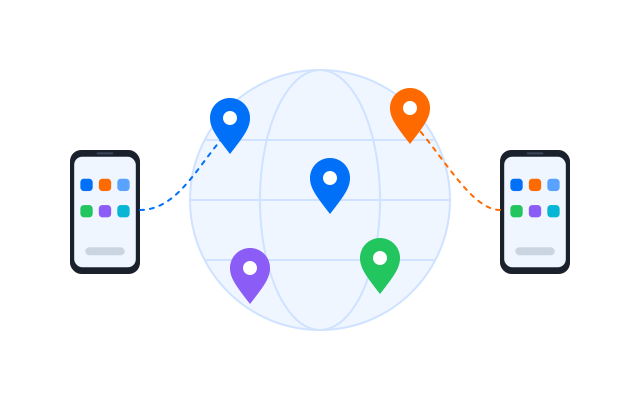
Proxy and location settings
Give each cloud phone the proxy that fits its account, region, campaign or client, instead of sharing one network across a rack.
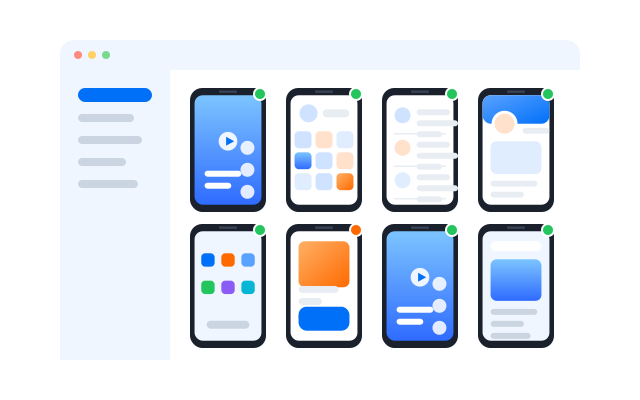
Bulk management tools
Start, stop, install apps on and update many cloud phones at once, and group them so the right people see the right phones.
Automate your workflow
Automation & RPA workflows
Pick the automation method that fits the task: the synchronizer mirrors what you do live, RPA runs saved workflows, and the API lets your own systems start supported operations.
Start small, check that your apps behave as expected, then scale gradually. Results depend on your workflow, network and each platform’s rules, so automation is a tool to save time, not a guarantee of any outcome.
Synchronizer: repeat live actions
Tap, swipe, scroll and type on one main cloud phone and have the same actions follow on the phones you selected.
RPA: run repeatable workflows
Build no-code workflows for routine mobile tasks such as opening apps, uploading content or checking accounts, then schedule them.
API: connect your own systems
Manage cloud phones and start automation tasks from your own tools or dashboard. Requires some developer setup.
What can you use a cloud phone farm for?
From social media to app testing, teams use Geelark to run mobile-first work on separate Android cloud phones.
Social media management
Run TikTok, Instagram, Facebook, X and other accounts on their own cloud phones, so day-to-day multi-account work stays organised.
Tiếp thị liên kết
Keep campaigns, offers and regional accounts on dedicated cloud phones instead of a drawer of test devices.
Marketplace operations
Handle seller accounts, listings and buyer messages in marketplace apps, each from its own environment.
App testing & ad verification
Install builds, check user journeys and see how ads appear across Android environments in different regions.
Typical setups
How teams scale with Geelark cloud phones
‹
Physical device replacement
From a shelf of phones to a dashboard
- Moved day-to-day work off local handsets
- One cloud phone and one proxy per account
- Phones opened from a browser tab or the desktop app
Profile management
Hundreds of profiles, one naming system
- Profiles grouped by client, brand or region
- Tags and notes instead of spreadsheets
- Teammates see only the groups they work on
Marketplace messaging
Routine messages handed to automation
- A workflow drafted once in the RPA builder
- Started across selected cloud phones
- Task history reviewed each morning
Kiểm thử ứng dụng
Regional checks without travel
- Builds installed on several cloud phones
- A different proxy region for each phone
- Screens compared side by side
›
Illustrative workflows built from Geelark features. For real customer accounts, read our customer stories.
Câu hỏi thường gặp
What is a phone farm?
A group of mobile devices, or mobile environments, used to run mobile-first tasks in parallel. Traditional farms use racks of physical Android phones; a cloud phone farm runs the same work on Android phones hosted in the cloud.
What is a cloud phone farm?
A fleet of Android cloud phones that you create and manage from a dashboard. Each phone has its own device environment, apps, storage and proxy, and you reach it from your computer instead of holding it.
How is a cloud phone farm different from a physical one?
There is no hardware to buy, power, cool or repair. You add or remove phones from the dashboard, assign proxies per phone, automate repetitive work and give teammates access without passing devices around.
Can I run a phone farm without physical phones?
Yes. Every phone in a Geelark farm is a cloud phone, so all you need is a computer and an internet connection.
Can I assign a different proxy to each cloud phone?
Yes. Add proxies in proxy management and assign one to each cloud phone, so every account connects through the network you chose for it.
Can Geelark automate phone farm workflows?
Yes. Use the synchronizer for live, repeated actions, RPA workflows and templates for routine tasks, and the API to connect your own systems. Start with a few phones and check results before scaling.
Which use cases suit a cloud phone farm?
Social media management, affiliate and marketplace operations, app testing and ad verification are common examples: any mobile-first work that needs many separate Android environments.
Is running a phone farm allowed?
That depends on what you do with it and on the rules of the apps and platforms involved. Read each platform’s terms of service and follow local law; Geelark provides the infrastructure, not permission to break a platform’s rules.
Why use Geelark instead of Android emulators?
Emulators run on your own computer and share its resources and many of its signals. Geelark cloud phones run in the cloud with their own device environments, so they scale further and are easier to share with a team. See Android emulator alternative.
Ditch the hardware and run your phone farm in the cloud
Create isolated Android cloud phones, assign proxies, automate repeat work and manage everything from one dashboard.