Grow several YouTube Shorts channels side by side
Run each channel on a dedicated Android cloud phone and publish Shorts on schedule across every channel your team manages. Geelark helps creators, agencies and app teams create, upload and look after Shorts by niche, region or campaign.
Built for Shorts publishing, channel warm-up, AI-assisted variations and shared team access.
Why YouTube Shorts needs its own multi-channel workflow
Shorts is not just another place to drop a clip. Vertical video, fast feedback and a mobile-first upload flow mean channel teams handle much more than a posting calendar.
Shorts teams usually look after more than uploads
Separate channels for different niches, languages, regions or campaigns.
Uploads and edits done in the mobile app, channel by channel.
Several versions of each script, hook and thumbnail to test.
Titles, descriptions and hashtags written for each channel.
Channel permissions for editors, managers and clients.
Routine checks on comments, playlists and channel health.
Geelark gives each channel environment its own Android cloud phone, so Shorts work stays organised instead of spread across personal phones and shared logins.
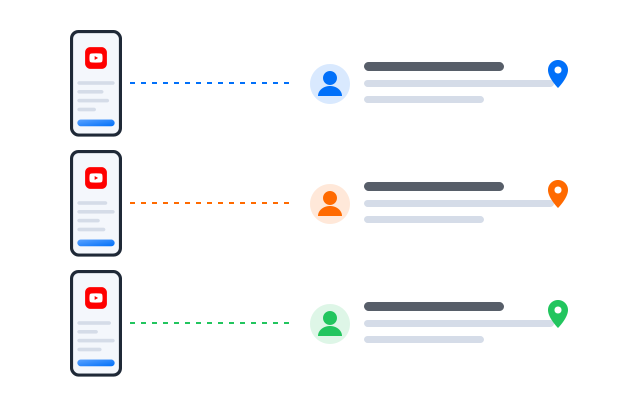
Google accounts, YouTube channels and Brand Accounts
Before you plan a channel network, it helps to know what each layer does. Your sign-in, your channel and the people who can manage it are three different things.
Where Geelark fits
Geelark does not replace YouTube Studio or Google’s account tools. It adds a cloud phone for each channel environment, plus team access and automation, for teams that run many channels from mobile.
Google account
The sign-in you use for YouTube and other Google services. It can own or manage one or more channels.
YouTube channel
The public identity viewers see: its name, uploads, Shorts, playlists and subscribers.
Brand Account and channel permissions
Channels can be owned by a Brand Account and shared with managers and editors, so several people work on a channel without sharing one password.
Plan a Shorts channel matrix by niche, region or campaign
A channel network works best when every channel has a clear job. Decide what each one is for, then give it its own cloud phone, proxy and owner.
Niche channels
Separate channels for topics such as gaming, cooking, finance or tech, each with its own audience.
Region or language channels
Channels for each market, with titles, captions and posting times that suit local viewers.
Product or campaign channels
Channels that support a launch, a product line or a seasonal campaign.
Creator or client channels
Channels your agency or network runs for individual creators or clients.
| Channel type | Best for | Geelark setup |
|---|---|---|
| Niche channel | Testing topics and formats | One cloud phone per channel, grouped by niche |
| Regional channel | Local audiences and languages | A regional proxy and labels per market |
| Product channel | Launches and product lines | Campaign groups with shared templates |
| Creator channel | Agencies and networks | Access per client or creator |
| Test channel | Trying new formats | A clean profile kept apart from live channels |
Upload Shorts from mobile cloud phones
Shorts is designed around the phone: vertical capture, quick edits and in-app publishing. A cloud phone gives every channel that mobile workflow without a handset on someone’s desk.
One cloud phone per channel
Keep each channel’s app session, drafts and settings on its own Android profile.
Use the YouTube app
Publish, edit and check Shorts in the same app your viewers use.
Fewer physical devices
Replace a shelf of test phones with cloud phones you open from any computer.
Organised channel operations
Label channels by niche, region or client and see who worked on what.
Produce and test Shorts ideas with AI
Shorts rewards volume and fast iteration. The AI studio helps you draft scripts, captions, images and short videos, then send the results to the phones that will publish them.
Variations of one idea
Try different hooks, captions and openings for the same concept.
Batches for many channels
Prepare a week of content per channel in one sitting.
Organised creative tests
Keep versions labelled by channel so you know what ran where.
Automate Shorts warm-up, uploads and routine tasks
Once a channel’s workflow is clear, move the repeat steps into templates and run them across the phones you choose.
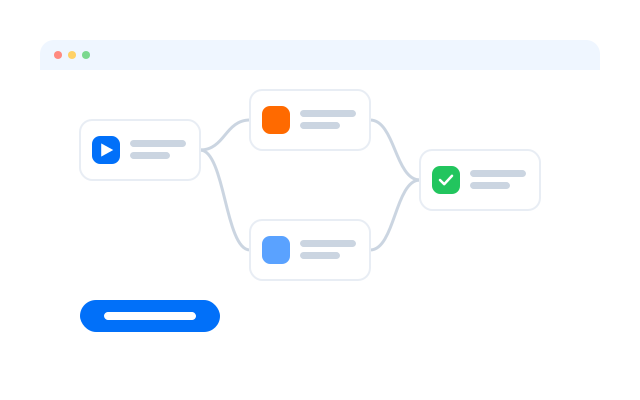
Warm up new channel environments
Plan light, gradual activity before a new channel starts publishing every day.
Upload Shorts to selected channels
Send a batch of videos to the right phones with titles and descriptions per channel.
Routine engagement tasks
Check comments and keep playlists tidy on a schedule.
Standard team workflows
Give every editor the same steps so channels are handled the same way.
Start faster with YouTube Shorts templates
Ready-made templates for publishing and warm-up. Adjust the steps, pick the channels and set a schedule.
Templates that run on real Android
Each template drives the YouTube app inside a cloud phone, with the same screens your editors use by hand.
Best ways to manage multiple YouTube Shorts accounts
Different YouTube Shorts teams need different tools. Each option below solves part of the problem; the right one depends on how many accounts you run and who works on them.
| Method | Best for | Limitations |
|---|---|---|
| YouTube Studio | Uploads, analytics and channel settings | Not a separate mobile environment per channel |
| Brand Accounts and channel permissions | Sharing a channel with managers and editors | Does not separate devices or app sessions |
| Social media schedulers | Calendar planning | Limited for in-app editing and mobile-only features |
| Physical phones | A few high-value channels | Costly and hard to scale |
| Android emulators | Testing on your own computer | Not designed for long-running channels |
| Geelark cloud phones | Teams running many Shorts channels from mobile | Needs clear channel roles and planning |
Use YouTube Studio and Brand Account permissions for official channel management. Use Geelark when you also need a separate Android environment per channel, remote team access and repeatable Shorts workflows.
Who uses Geelark for YouTube Shorts channels?
Shorts creator teams
Run several channels by topic and keep uploads, drafts and comments apart.
Creator networks
Look after creator channels with access per creator and shared templates.
App growth teams
Promote apps with Shorts across regional channels and test creative angles.
Ecommerce and product teams
Show products in short videos on channels for each product line or market.
Agencies and studios
Manage client channels from one workspace with roles and an activity log.
Get started in three steps
FAQs
Can I have multiple YouTube Shorts channels?
YouTube lets you create more than one channel, and a Google account can manage several channels through Brand Accounts. Check YouTube’s current Terms of Service and channel policies for limits and rules.
Do I need a separate Google account for every channel?
Not always. Brand Accounts let one Google account manage several channels. Some teams still use separate accounts for clients or regions; decide based on who should own each channel.
What is the difference between a Google account and a YouTube channel?
The Google account is how you sign in. The channel is the public identity with its own name, uploads and subscribers.
Why use cloud phones for Shorts?
Shorts is mobile-first. A cloud phone per channel gives you the YouTube app, separate sessions and remote access without physical devices.
Does Geelark replace YouTube Studio?
No. YouTube Studio remains the place for analytics and channel settings. Geelark adds the mobile environments and team workflow around it.
Can I upload Shorts from a Geelark cloud phone?
Yes. Transfer the video to the phone and publish it in the YouTube app, by hand or with a template.
Can Geelark help me make Shorts content?
Yes. The AI studio drafts scripts, captions, images and short videos you can review and send to your phones.
Can my team manage channels without sharing passwords?
Yes. Give teammates access to the cloud phones they need, with roles and an activity log.
How much does it cost?
It depends on how many cloud phones you run. See Pricing.
Start running your YouTube Shorts accounts in the cloud
Set up your first cloud phone in minutes.